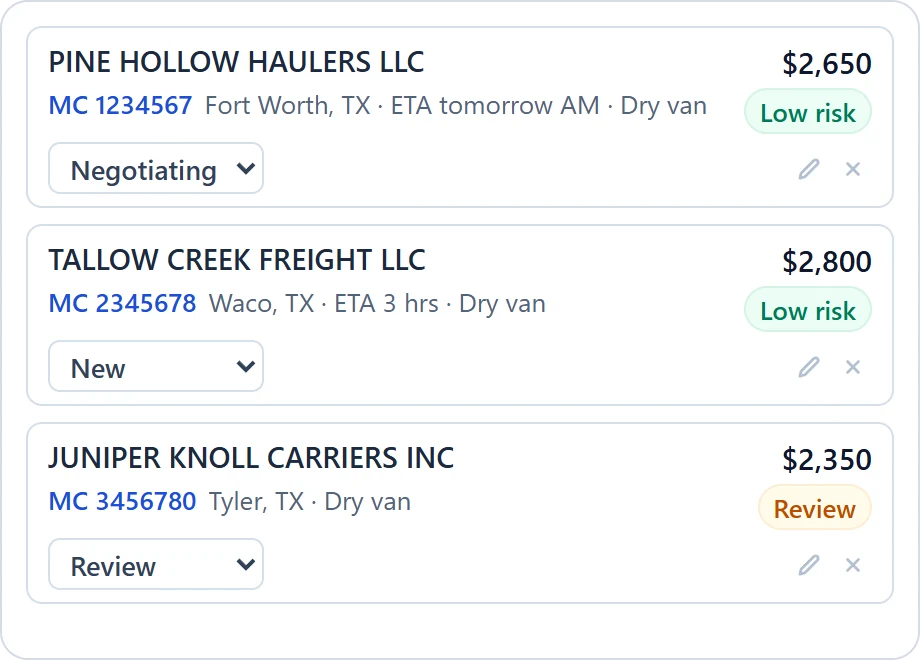
Every carrier quote, kept on the load
Save a quote from the email in one click. Compare rates, truck locations and risk side by side.
Free Chrome extension for freight brokers and brokerages
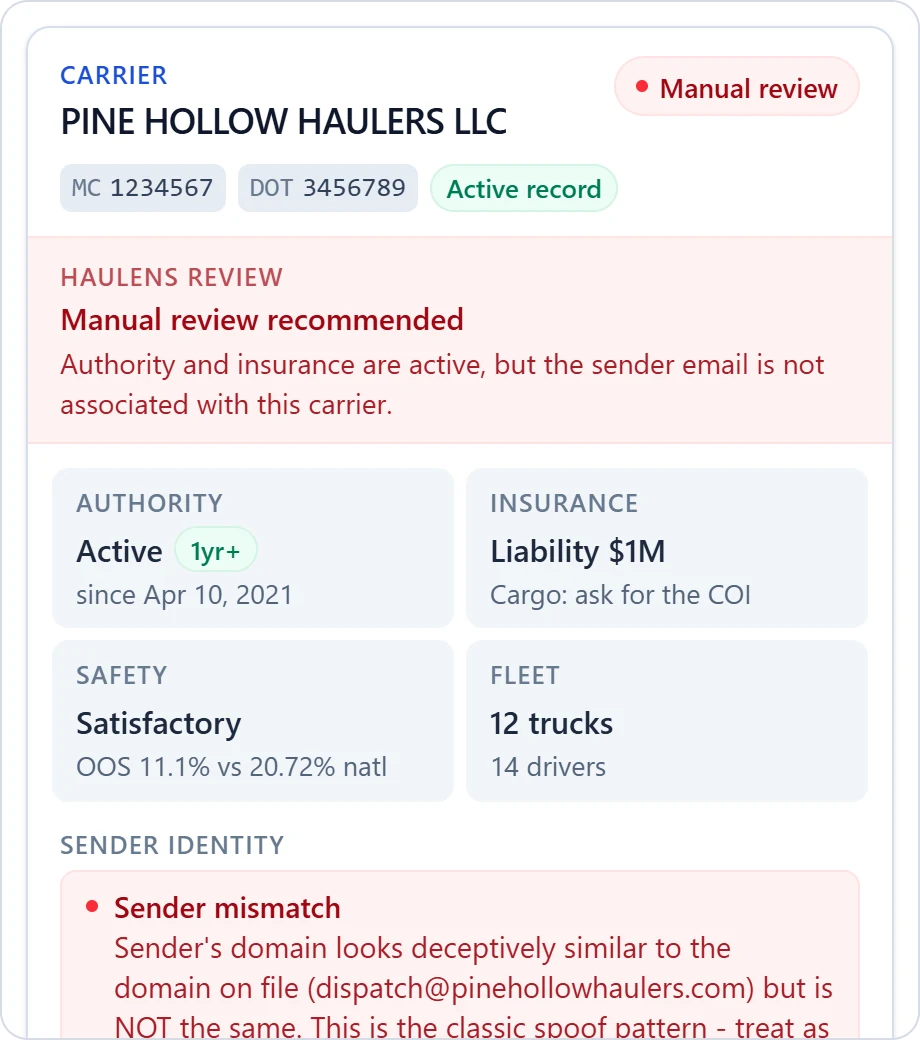
Open a carrier email in Gmail. HauLens verifies the carrier with FMCSA and drafts your reply with the load.
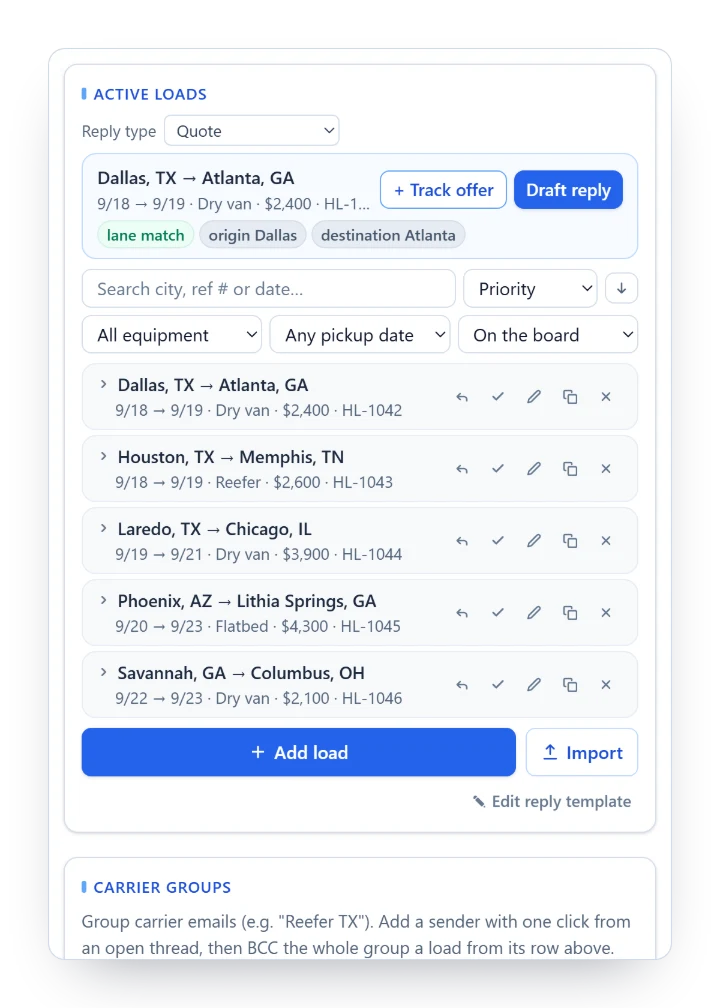
Sign in with Google and open Gmail. Import your loads from Excel, Google Sheets or DAT postings.
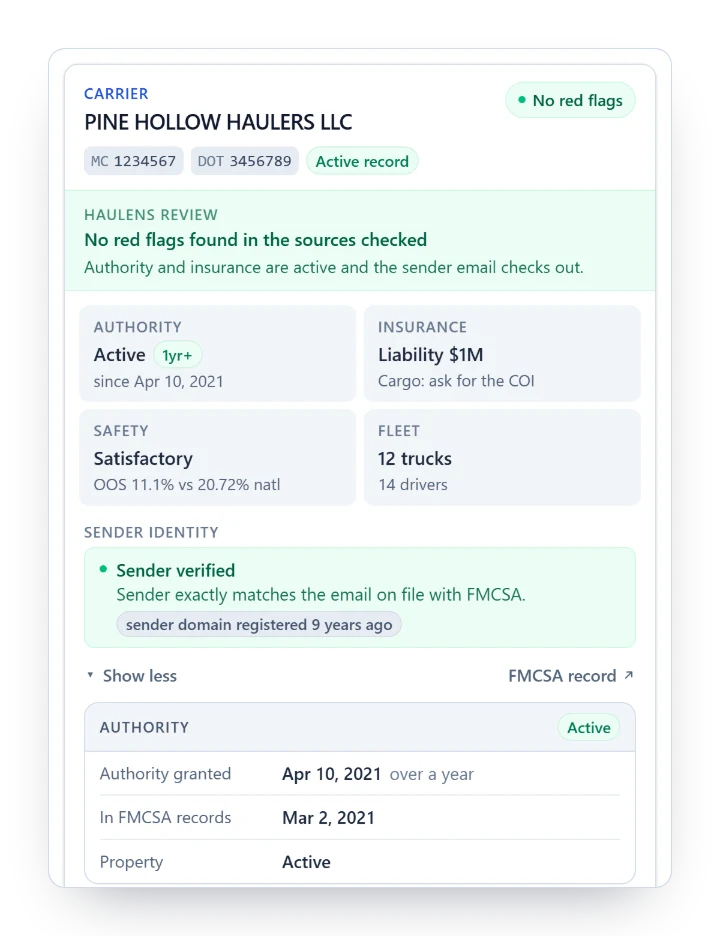
HauLens finds the MC number, runs the carrier lookup with FMCSA, and matches the load they are asking about.
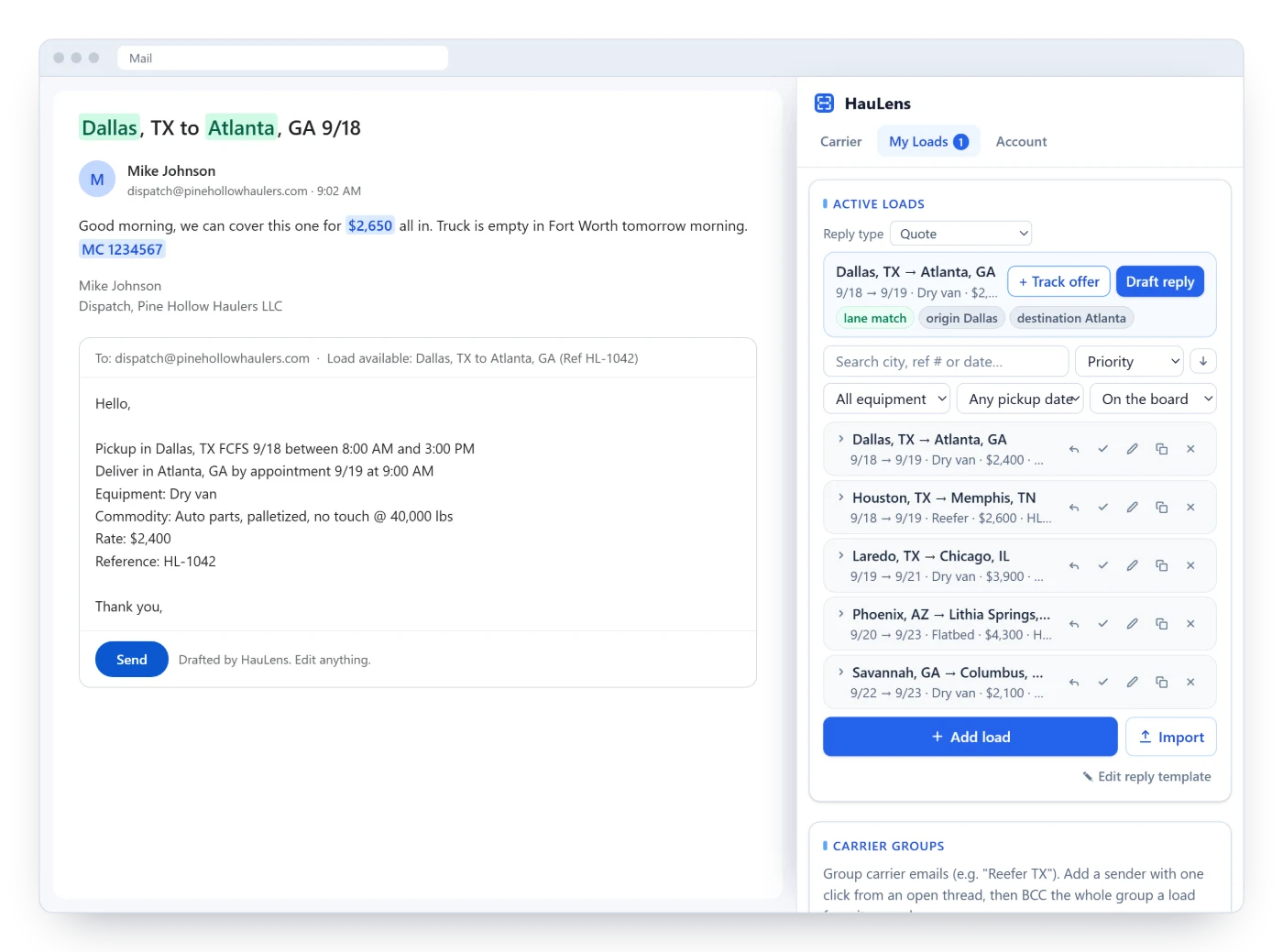
The reply is already written with your pickup window, equipment and rate. Change what you like and hit send.
Double brokering starts with a convincing email. HauLens flags the warning signs right beside it, before you book.
1click
From a carrier's email to a finished reply with your load, pickup window and rate filled in.
0
Gmail permissions. Your email text never leaves the browser.
2min
From install to your first carrier email.
1board
For the whole office: assign loads, keep some private, and see what is covered.
$0
Free during the beta. No card needed.
Save a quote from the email in one click. Compare rates, truck locations and risk side by side.
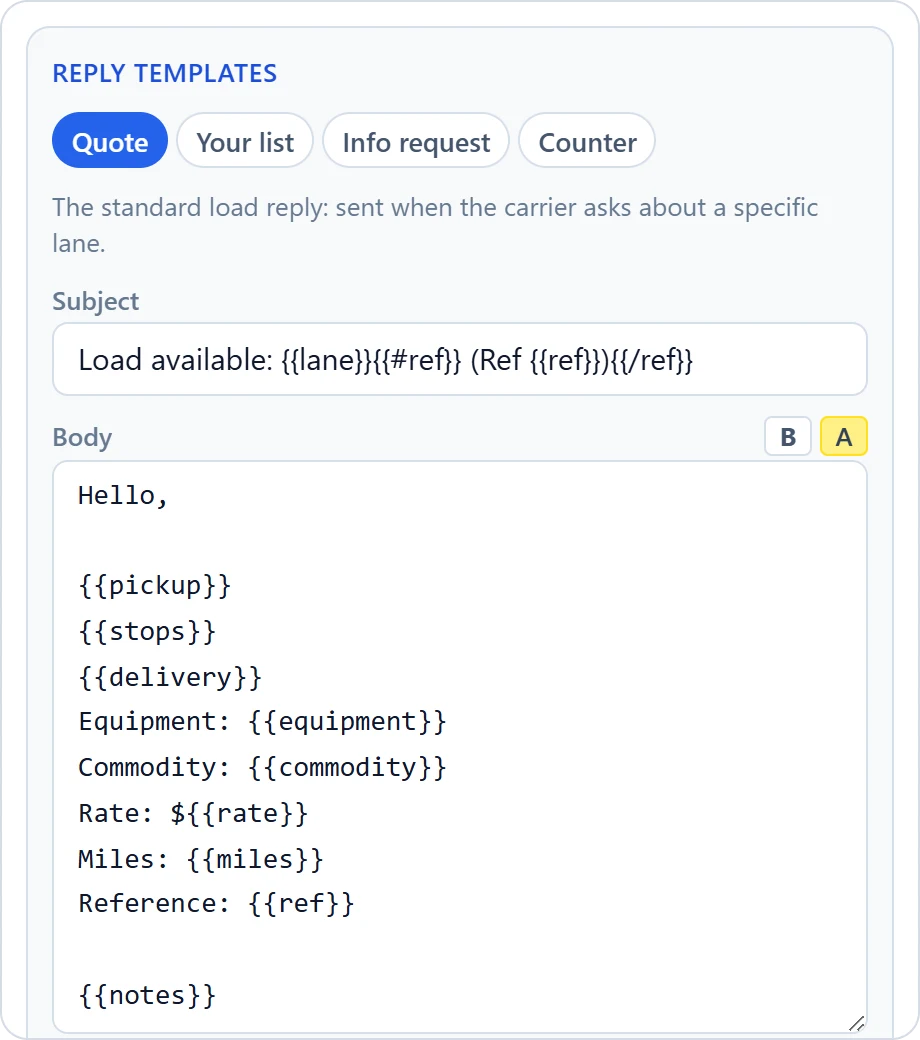
Write your templates once. Every draft uses them.
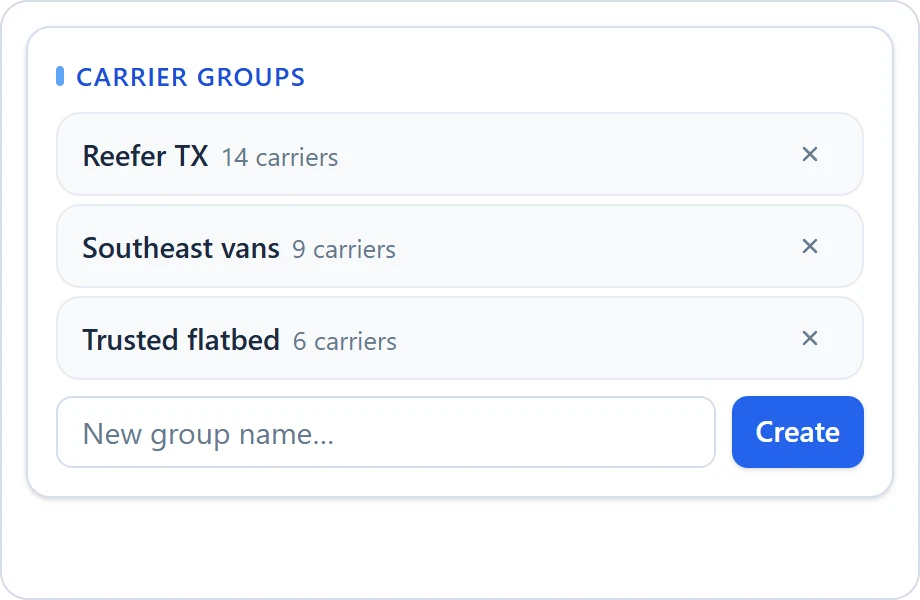
Send a load to your trusted carriers as one BCC email.
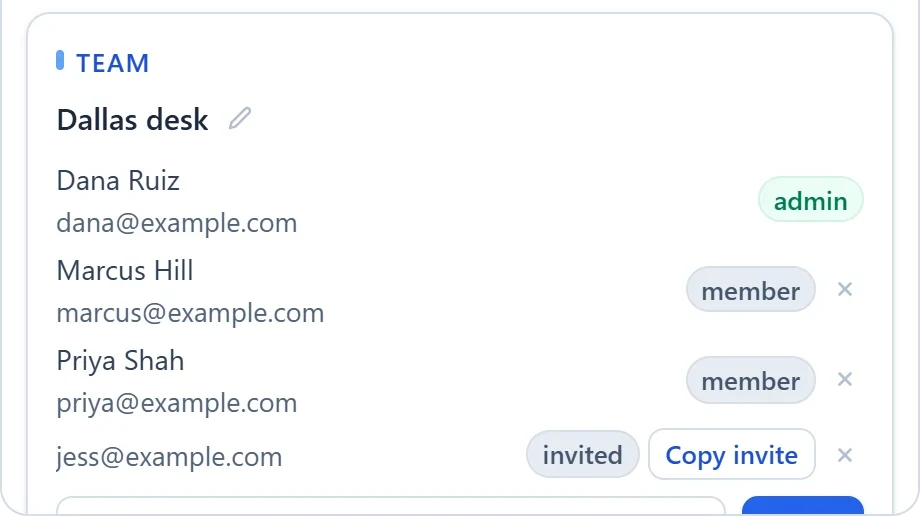
Invite your team, assign loads, keep some private, and see what is covered.
Sample data. The carriers, people and figures in these screens are invented; any resemblance to a real company is coincidental.
No account and no install. See a carrier's FMCSA authority, insurance and safety record.
Feels like it was built specifically for the way I work. I can vet carriers quickly without jumping between multiple systems, and I only have to enter load details once. From there, every carrier inquiry is handled faster because all the information is already at my fingertips. It's saved me time, reduced repetitive work, and made my day-to-day operations much more efficient.
Type it into the free carrier lookup above. With HauLens installed, the lookup runs on its own when you open the carrier's email.
Checking that a carrier is allowed to haul and is who it says it is: active authority, insurance on file, no out-of-service order, and a sender who matches the contact FMCSA has on file.
It compares the sender with the FMCSA contact for that MC number, shows how old their domain is, and flags new authority, low insurance and out-of-service orders. The booking decision stays with you.
No. It works beside your load board and your TMS. Nothing to migrate.
No AI writes your replies. Matching and drafting run on your computer, your email text never leaves the browser, and HauLens never asks for access to your mailbox.
It is free during the beta. You will hear well before that changes.
Free during the beta. Two minutes to set up.